Article
MCP for Marketing: 27 Examples for B2B Marketers
Build, size and enrich B2B segments by asking your AI assistant. 27 copy-ready prompts, with costs and a five-step workflow.

Table of Content
MCP for marketing means connecting your AI assistant to live B2B data, so you can build, size and enrich segments by asking in natural language. With the Leadspace Sidekick MCP server connected, Claude, ChatGPT, Gemini, Cursor or any MCP-compatible assistant can find accounts that match your ICP, count how many fit, map the buying group at each one and enrich your inbound leads, all in one conversation.
Key takeaways
What it is: The Model Context Protocol (MCP) is an open-source, open standard that lets AI assistants, AI systems and AI agents call outside tools and data sources. The Leadspace Sidekick MCP server connects them to Leadspace B2B data.
What marketers can do: Build and size ICP segments, map buying groups for account-based marketing, enrich inbound leads, write persona messaging from real titles and move audiences into a CRM.
Why Leadspace: Segments come from a living graph of 1B+ buyer identities and 260M+ companies, scored against the Target Audience you define, so your assistant sizes the audience you actually sell to.
What it costs: Searching, sizing segments, buying groups, signals, intent and account enrichment are free on every plan, including the free Starter plan. Only email and phone reveals use credits.
Who it works with: Claude, ChatGPT, Gemini, Cursor and other MCP clients that support remote MCP servers.
Why marketing teams need MCP
B2B marketers spend a surprising amount of time moving data around: exporting a list, cleaning customer data in a spreadsheet, stitching together data from multiple sources, then checking who's missing. An MCP connector removes those middle steps.
Your assistant pulls the data from Leadspace directly and keeps working with it, so a campaign audience starts as a sentence rather than a CSV. It is how marketing teams build segments with AI agents that read live data instead of guessing from training data. A language model on its own can't see real-world marketing data, so AI-powered segmentation depends on connecting AI applications to it, without custom integrations for each tool.
The bigger shift is from building lists to acting on signals. Your assistant can find the accounts in your segment that just appointed a new executive or are researching your category, map who to reach at each one and draft the message for every role, in one conversation.
Below are 27 MCP examples for marketing teams, each with a prompt to copy, the expected result, the credit cost and the required plan. We tested every example against the Leadspace Sidekick MCP server in October 2026.
What is MCP in marketing?
MCP (Model Context Protocol) is an open standard that lets an AI assistant use outside tools and data. An MCP server is the connector on the tool's side, and the assistant you chat with acts as the MCP client. Once you add a server, the assistant makes a tool call to it whenever your question needs that data. Because the Leadspace Sidekick MCP server ships pre-built tools, you can connect AI agents to B2B data without writing custom code, and agent access always follows your Leadspace permissions.
For marketers, that changes what an AI assistant is good for. On its own, an AI model can write copy but can't tell you how many companies match your ICP or who works at them. With an MCP connector to a B2B data source, it can:
Look things up instead of guessing. Counts, company profiles and contacts come from live data, not from what the model remembers.
Run multi-step requests. "Size this segment, then map the buying group at the top 10" becomes a sequence of calls the assistant runs for you.
Work across MCP clients. The same Leadspace Sidekick MCP connector works with Claude, ChatGPT, Gemini, Cursor and other MCP clients, so each person can use the assistant they prefer.
The Leadspace Sidekick MCP server runs on your Leadspace account, on every plan from the free Starter plan to Enterprise. It follows your workspace permissions and draws on the same credits as the Leadspace Sidekick web app.
Why the data behind your MCP server matters
An AI assistant can only size a segment as accurately as the data it can reach. The Leadspace Sidekick MCP server gives it three things a contact database alone doesn't:
Coverage. A living graph of 1B+ buyer identities and 260M+ companies, built from 30+ data sources and continuously updated.
Your Target Audience, applied everywhere. Define your Target Audience once in Leadspace, and every company and contact your assistant finds is scored against it. The same definition shapes the lookalikes and buying groups it returns.
Signals to time your campaigns. Intent topics, hiring, new executives and technology changes at the accounts you target.
That's the difference between an assistant that writes copy and one that tells you who to target, when to engage and what to say.
27 MCP use cases for marketing
Each use case lists a prompt to copy, the expected result, the cost in Leadspace credits and the plans it works on. Every Leadspace plan, including the free Starter plan, can use the MCP server. Where a use case depends on a plan feature, such as CRM push, we name the plans that include it.
Targeting and segmentation
1. Prioritize target accounts by buying intent
Prompt: "Which of these 50 accounts are researching sales intelligence right now?"
What you get: The intent topics each account is researching, with a strength score. Cost and plan: Free on all plans.
2. Spot accounts with fresh buying signals
Prompt: "Which of my target accounts are hiring or adding new technology?"
What you get: Recent hiring, job postings and technology changes at each account, with dates and source links where available. Cost and plan: Free on all plans.
3. Build an ICP account list from firmographic filters
Prompt: "Find US software companies with 250 to 1,000 employees."
What you get: Matching companies with industry, size, revenue range, location and ownership. Our test of that exact search returned 382 companies. Cost and plan: Free on all plans.
4. Size a segment before you commit budget
Prompt: "How many fintech companies in EMEA have 500+ employees?"
What you get: A count of matching accounts, so you can plan spend, reach and offers around a real number. Cost and plan: Free on all plans.
5. Write precise boolean searches for niche titles
Prompt: "Help me write a boolean search for demand gen leaders, excluding agencies."
What you get: A search string your assistant builds with AND, OR, NOT and exact phrases, then runs for you. Cost and plan: Free on all plans.
6. Review and refine your target audience
Prompt: "Show my target audience definition and suggest tighter filters."
What you get: Your saved ICP (company size, revenue, locations and industries) and buyer personas, with suggestions to narrow them. Cost and plan: Free on all plans.
7. Find contacts similar to your best buyers
Prompt: "Find 20 contacts similar to our top 5 champions."
What you get: People with a comparable role and company profile to the buyers you already won. Cost and plan: Free on all plans.
Account-based marketing
8. Catch new executives at target accounts
Prompt: "Any new executives at my top 20 accounts?"
What you get: Newly appointed leaders, such as a new CMO or CRO, which is often the best moment to start a conversation. Cost and plan: Free on all plans.
9. Map the buying group at a target account
Prompt: "Who is in the buying group at Acme?"
What you get: One likely match for each of your buyer personas, such as a decision maker, an evaluator and a champion, with names and titles. Cost and plan: Free on all plans.
10. Build a one-page account brief before a campaign
Prompt: "Give me a profile of Acme: size, industry, revenue and recent signals."
What you get: A short account summary to brief sales, agencies or your own ABM plan. Cost and plan: Free on all plans.
Campaigns and content
11. Tailor ad and landing page copy by industry and size
Prompt: "Enrich these 30 accounts and draft a headline for each industry."
What you get: Each account's industry, size and revenue, then headline options your assistant groups by segment. Cost and plan: Free on all plans.
12. Write persona messaging from real buying-group titles
Prompt: "Based on Acme's buying group, draft one message per role."
What you get: Messages tailored to the actual titles in the buying group, rather than generic personas. Cost and plan: Free on all plans.
13. Time content to what prospects post on LinkedIn
Prompt: "What have the CMOs on my list been posting about lately?"
What you get: Their recent LinkedIn posts with dates, so you can spot themes worth writing about. Cost and plan: Free on all plans.
14. Build event invite lists by region and title
Prompt: "Find VP Marketing contacts in London at companies with 500+ staff."
What you get: A list of matching people, with whether an email or phone number is available for each. Cost and plan: Free on all plans.
15. Turn webinar attendee companies into a target list
Prompt: "Enrich these 80 attendee domains and flag the ones that fit our ICP."
What you get: Firmographics for each domain and which ones match your target audience. Spot-check a few before you build a campaign on them. Cost and plan: Free on all plans.
Inbound
16. Enrich inbound form fills instantly
Prompt: "Enrich these 25 demo requests with company data."
What you get: Industry, size, revenue, location and headquarters for each company, filled in from the domain. Cost and plan: Free on all plans.
17. Check inbound leads against your target audience
Prompt: "Which of today's sign-ups fit our target audience, and why?"
What you get: A strong, moderate or weak fit verdict per persona, with the reasons, so you know which leads to fast-track. Cost and plan: Free on all plans.
18. Route hot inbound leads with intent context
Prompt: "Which of these inbound accounts also show active intent?"
What you get: The intent topics each account is researching, to help sales prioritize follow-up. Cost and plan: Free on all plans.
Lists
19. Save a segment as a list your team can share
Prompt: "Save these filters as a list called Q1 ABM Tier 1."
What you get: A saved list in Leadspace that your team can open and reuse. Cost and plan: Free on all plans; list limits vary by plan.
20. Update list criteria without rebuilding the list
Prompt: "Add healthcare to my Tier 1 list filters."
What you get: The list updated in place, with the same name and sharing settings. Cost and plan: Free on all plans.
21. Catch audience drift between campaign flights
Prompt: "What changed in my Tier 1 list since the last export?"
What you get: The rows in a past snapshot compared with the list today. Cost and plan: Free on all plans.
22. Check which campaign accounts are already in your CRM
Prompt: "Which of these accounts already exist in our CRM?"
What you get: A split between accounts already in your CRM data and net-new ones. Cost and plan: Free on Enterprise, with CRM Insights turned on.
Activation and operations
23. Export a list to CSV
Prompt: "Export my Tier 1 list to CSV."
What you get: A CSV file of the list for any tool that accepts an upload. Cost and plan: Free on all plans (Starter: 100 records a month).
24. Send a campaign audience to Salesforce or HubSpot
Prompt: "Send this list to HubSpot and tell me when it's done."
What you get: The records sent to your CRM, with the send status reported in the same chat. Cost and plan: Free on Pro and Enterprise with a CRM connected, up to your plan's monthly record limit.
25. Reveal emails for a final invite list
Prompt: "Preview the cost, then reveal emails for these 15 contacts."
What you get: The total cost first, then the work emails. Anything already revealed in your workspace is free; on Enterprise, that includes your teammates' reveals. Cost and plan: 1 credit per email (nothing if not found) on all plans.
26. Check credits before a large run
Prompt: "How many credits do I have left?"
What you get: Your balance and when it refreshes. Cost and plan: Free on all plans.
27. Get alerted to failed exports and low credits
Prompt: "Any alerts on my workspace today?"
What you get: Warnings that need action, such as an export that failed or credits running low. Cost and plan: Free on all plans.
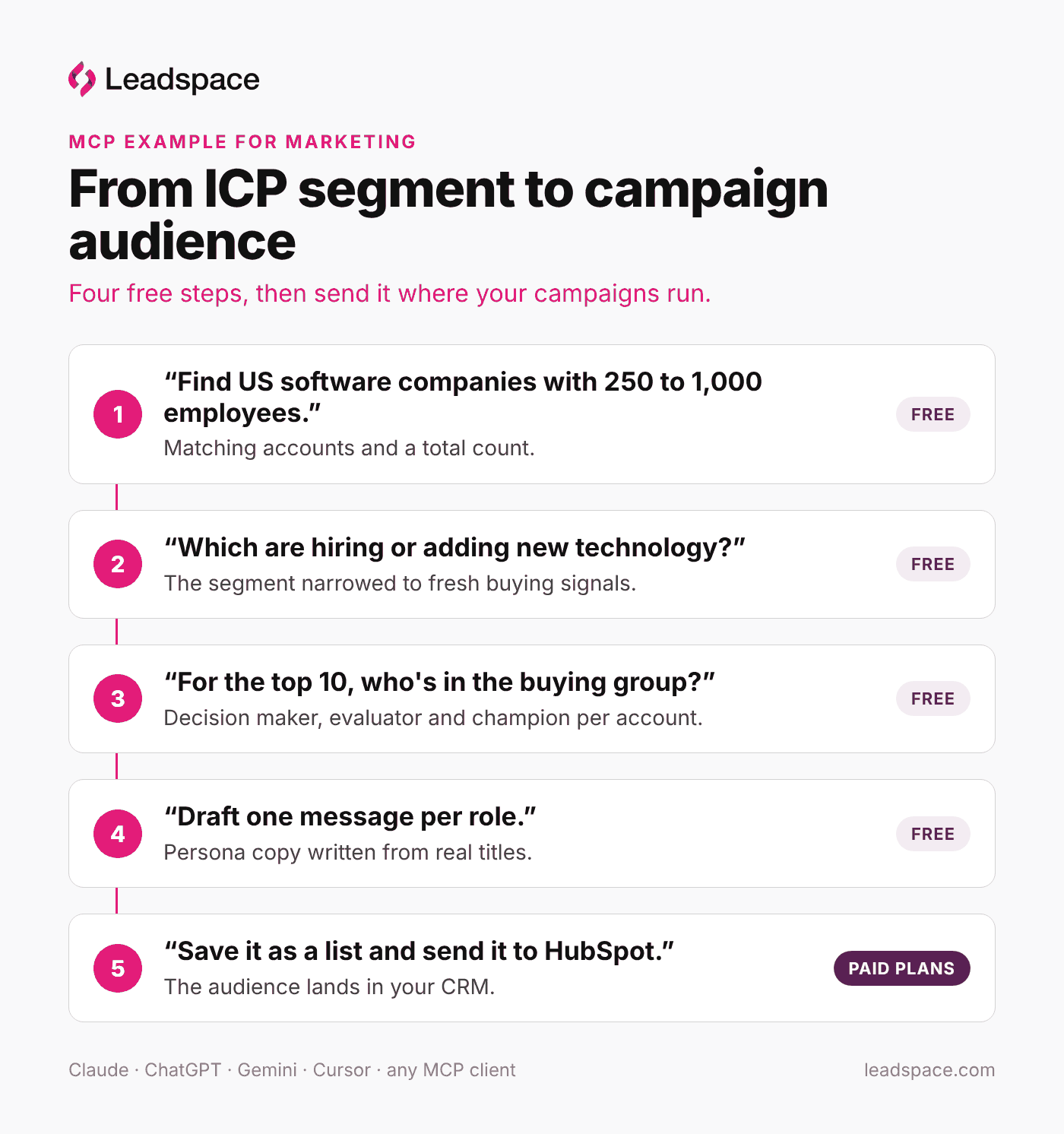
An MCP example for marketing: from ICP segment to campaign audience
This conversation chains five of the use cases above, from a buying signal to an audience ready to act on. Steps 1 to 4 are free, and step 5 depends on your plan.
"Find US software companies with 250 to 1,000 employees." You get the matching accounts and a total count. (Free)
"Which of these are hiring or adding new technology this quarter?" You narrow the segment to accounts with fresh buying signals. (Free)
"For the top 10, who's in the buying group?" You get a likely decision maker, evaluator and champion at each account. (Free)
"Draft one message per role for this campaign." Your assistant writes persona copy from the real titles it just found. (Free)
"Save this as a list called Q1 ABM Tier 1 and send it to HubSpot." The audience lands in your CRM, ready for the campaign. (Pro and Enterprise with a CRM connected; on other plans, export to CSV instead)
Pro tip: size the segment before you map buying groups, so you only research accounts you'll actually target. If your team is just adopting MCP, this is a good first workflow to try.
That's MCP automation in practice: the segment, the people, the copy and the audience come out of one chat instead of five tools.
How to add the Leadspace Sidekick MCP connector to your AI assistant
Setup is easy. The Leadspace Sidekick MCP server is a remote MCP server, so for most assistants there's nothing to install: you add one URL to your assistant and sign in.
Copy the connector URL:
https://sidekick.leadspace.com/mcp/v1Add it to your assistant as a custom connector or MCP server. In Claude (including Claude Desktop), ChatGPT, Gemini, Cursor or any other MCP client, look for the option to add a remote MCP server or custom connector.
Sign in with your Leadspace username and password. No API key or bearer token is required. No account yet? Create one free with your work email at
sidekick.leadspace.com.
If your MCP client only accepts a token and never opens a login window, run the connector through mcp-remote (npx -y mcp-remote https://sidekick.leadspace.com/mcp/v1). It opens the Leadspace login in your browser and passes the session to your assistant.
Step-by-step setup instructions for each assistant are on the Leadspace Sidekick MCP page.
What it costs
The Leadspace Sidekick MCP server works on every Leadspace plan and runs on your Leadspace credits, the same balance you use in the Leadspace Sidekick web app. Most marketing work, from sizing segments to enriching inbound leads, uses no credits at all: you only pay to reveal a work email or phone number.
Action | Credits | Plan |
|---|---|---|
Search and size segments, company profiles, buying groups, buying signals, buying intent, LinkedIn activity, account enrichment, target audience fit | Free | All plans |
Export to CSV | Free | All plans, up to your plan's monthly export limit (Starter: 100 records) |
Reveal a work email | 1 (0 if not found) | All plans |
Reveal phone and mobile numbers | 3 (0 if not found) | All plans |
Save and update lists | Free | All plans (list limits vary by plan) |
Send to Salesforce or HubSpot | Free | Pro and Enterprise, with a CRM connected |
Check whether accounts are already in your CRM | Free | Enterprise, with CRM Insights |
The free Starter plan includes 25 credits a day, and paid plans refresh monthly.
FAQs about MCP for marketing
How is MCP used in marketing?
Marketers use MCP to build and size ICP segments, map buying groups for ABM, enrich inbound leads, write persona messaging from real titles and move audiences into their CRM, all by asking an AI assistant in natural language.
Which AI assistants work with the Leadspace Sidekick MCP server?
Claude, ChatGPT, Gemini, Cursor and any other AI assistant or MCP client that supports remote MCP servers.
How do I connect it?
Add https://sidekick.leadspace.com/mcp/v1 as a custom connector or MCP server in your assistant, then sign in with your Leadspace username and password. No API key or custom code is needed.
What does it cost?
Searching, sizing segments, buying groups, signals, intent and account enrichment are free. A work email costs 1 credit and phone numbers cost 3. Nothing is charged when no data is found, and anything already revealed in your workspace is free to view again.
Can I push audiences to my CRM or marketing tools?
You can export any list to CSV on every plan, up to your plan's monthly export limit (100 records a month on Starter). Sending lists to Salesforce or HubSpot is available on Pro and Enterprise with your CRM connected.
Is my data safe?
Access controls follow your Leadspace workspace permissions, anything that deletes data asks you to confirm first, and on Enterprise, workspace admins can review activity through audit logging. What you type into your AI assistant is also covered by that assistant's own data policies.
Which MCP servers for marketing should we connect?
Start with a data source that knows your buyers, such as the Leadspace Sidekick MCP server for B2B audiences, then add the MCP servers your CRM or marketing automation platform publishes.
What makes the Leadspace Sidekick MCP server different from other B2B data MCP servers?
Many return contact records. Leadspace also scores every company and contact against the Target Audience you define, maps the buying group at each account and adds the signals that show who's in market, drawing on a living graph of 1B+ buyer identities. It is also the same server from the free Starter plan to Enterprise, so there's nothing to outgrow.
Can it report on campaign performance?
Not through Leadspace. The Leadspace Sidekick MCP server supplies audience and account data, while campaign performance stays in your ad and marketing automation platforms.
What's the difference between MCP and an API?
An API requires code for every call. MCP lets an AI assistant choose and chain the right calls from a natural-language request.
Build your next segment from your AI assistant
Start with one prompt: "Which of my target accounts are hiring or adding new technology?" Sign up free with your work email, connect the Leadspace Sidekick MCP server and ask it. The free Starter plan includes 25 credits a day, and sizing segments, signals and buying groups cost nothing.
Connect the Leadspace Sidekick MCP server
More MCP use cases:
Latest Articles

Article
MCP for RevOps: 28 Use Cases, Examples and MCP vs API
MCP for RevOps means running data, list, export and admin work from an AI assistant, using natural-language requests instead of clicks and scripts. With the Leadspace Sidekick MCP server connected, Claude, ChatGPT, Gemini, Cursor or any MCP-compatible assistant can enrich accounts, check records against your ICP, move lists to CSV or your CRM, track credit usage and manage users, all inside your existing Leadspace permissions.
Article
MCP for Marketing: 27 Examples for B2B Marketers
MCP for marketing means connecting your AI assistant to live B2B data, so you can build, size and enrich segments by asking in natural language. With the Leadspace Sidekick MCP server connected, Claude, ChatGPT, Gemini, Cursor or any MCP-compatible assistant can find accounts that match your ICP, count how many fit, map the buying group at each one and enrich your inbound leads, all in one conversation.

Article
MCP for Sales: 28 Use Cases and Examples for Sales Teams
MCP for sales means connecting your AI assistant to live buyer data, so you can prospect, prepare for calls and find contact details by asking in natural language. With the Leadspace Sidekick MCP server connected, Claude, ChatGPT, Gemini, Cursor or any MCP-compatible assistant can search Leadspace's B2B data, map the buying group at an account, pull a person's recent LinkedIn posts and reveal a work email or phone number, all in one conversation.


